Grocery List lets a household share one grocery list on iPhone and iPad. You invite people with a link or a QR code, and from then on everyone adds to and checks off the same list through iCloud. When someone adds an item, the others get a notification. Nobody creates an account: the list lives in your own iCloud. Sharing is part of Premium, a one-time purchase (one payment, no subscription), and only the person who shares the list needs it.
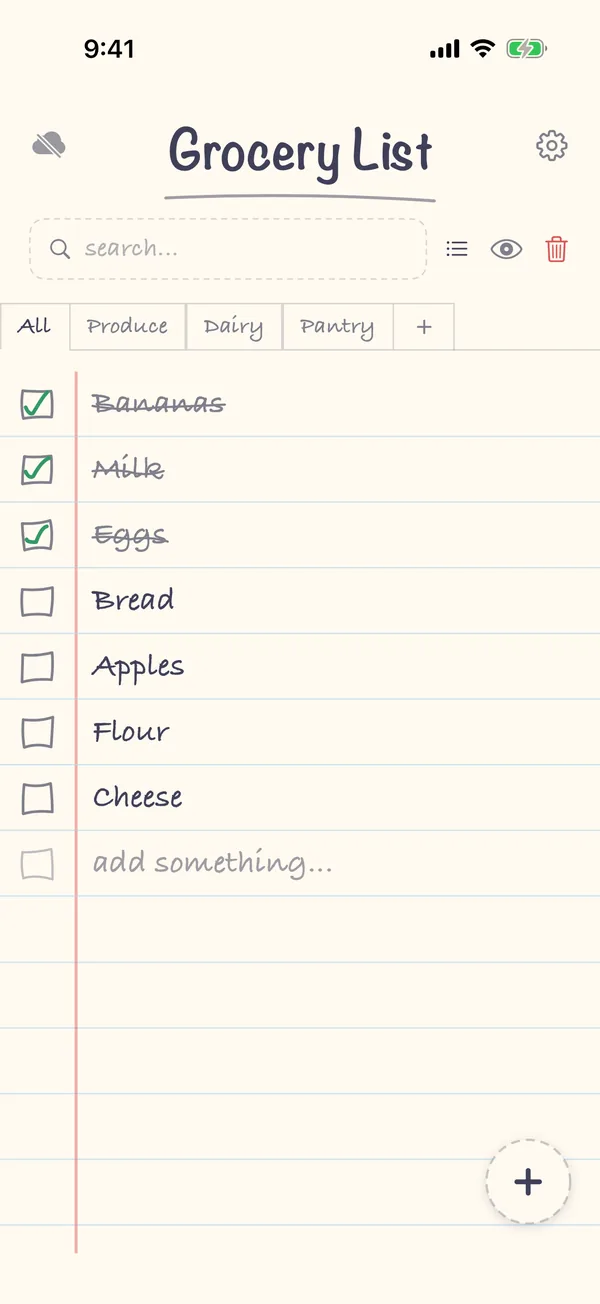
1. Turn on iCloud Sync
Tap the gear in the top-right corner to open Settings. In the iCloud section, turn on iCloud Sync. Sharing goes through iCloud, so it needs this on.
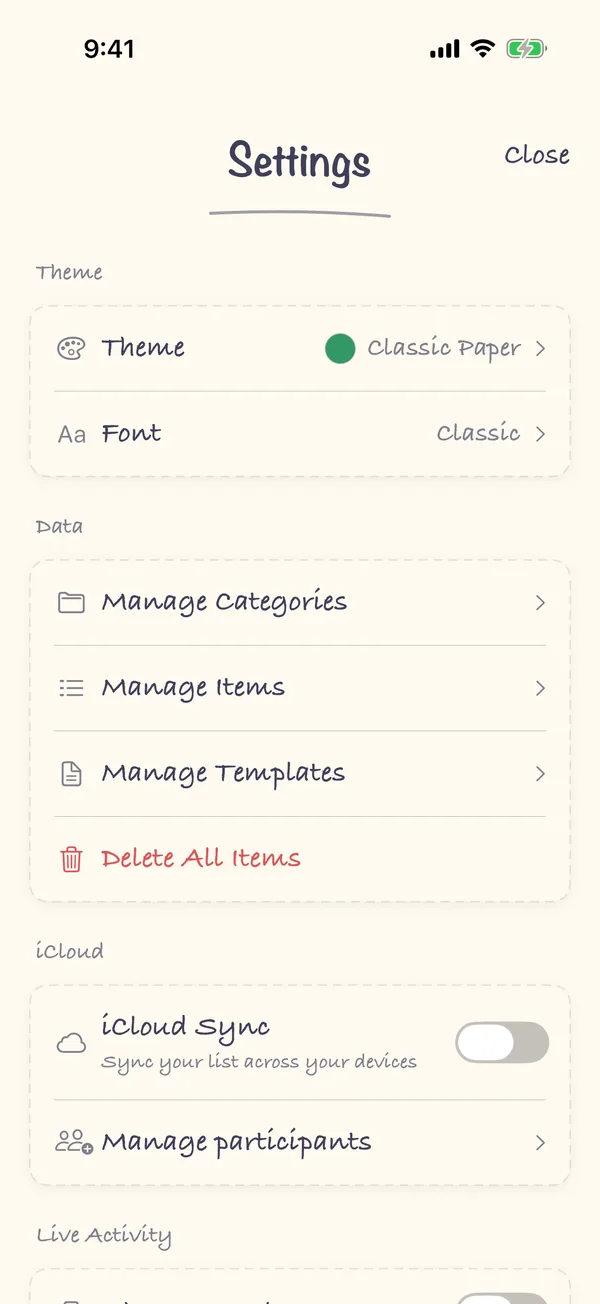
2. Tap Manage participants
Still in the iCloud section, tap Manage participants. If you haven't unlocked Premium yet, the app offers it here.
3. Send the invite
The Share your list sheet gives you three ways to invite someone: a QR code they can scan with their camera (Scan to join), Copy Link, or Share Link to send it with Messages, WhatsApp or email. Anyone with the link can view and edit the list, so send it only to the people you want on it.
4. They open the link
The other person opens the link on their iPhone, and the list opens in Grocery List. They need the app and an iCloud account, and they should turn on iCloud Sync in Settings so the list keeps up to date. They don't need Premium.
For a step-by-step walkthrough, see how to share a grocery list on iPhone.
FAQ
Do both people need Premium?
No. Only the person who shares the list needs Premium. People who join a shared list don't. Premium is a one-time purchase that belongs to the Apple ID that bought it, so it works on every device you sign in with that Apple ID.
How do I know when someone adds something?
Grocery List sends a notification, such as "An item was added to your grocery list", when someone else adds to the shared list while the app isn't open. The app asks for permission to send notifications the first time you share or join a list. You can change that later in the iPhone's Settings.
Can I keep some things private?
Yes. A category can be marked Private category: it isn't shared with the people you invite, but it still syncs across your own devices through iCloud.
Can I share more than one list?
No. Grocery List has one list, organized into categories, and one Apple ID can share one list. If your Apple ID already shares a list, stop sharing it before you accept someone else's invite.
How do I stop sharing or leave?
If you shared the list, tap Manage participants and then Stop Sharing. If you joined someone else's list, tap Leave Shared List in Settings.
Does it work without a connection?
Yes. You can add and check off items offline, and the list catches up with iCloud when you're back online.