There are three good ways to make a grocery list on iPhone. Notes is quickest: start a note, tap the checklist button and type one item per line. Reminders sorts the list for you: make a new list, set its type to Groceries, and items fall into sections such as Produce and Dairy. A grocery list app like Grocery List adds the shopping extras: adding items by voice or from a photo of a paper list, recipe import, and checking items off from the Lock Screen.
1. Notes: the quickest list
- Open Notes and tap the new note button.
- Tap the checklist button above the keyboard.
- Type an item and tap Return to start the next one.
- At the store, tap the circle next to each item to check it off.
Notes is fine for a one-off list. It doesn't sort anything, so you'll be scrolling up and down at the store.
2. Reminders: a list that sorts itself
- Open Reminders and tap Add List.
- Name it, set the list type to Groceries, and tap Done.
- Add items. Reminders puts each one in a section (Produce, Dairy, Bakery…) as you type.
A Groceries list needs iOS 17 or later, and automatic sorting isn't available in every language. You can share the list with other people who use an Apple Account. See how to share a grocery list on iPhone.
3. A grocery list app: built for grocery shopping
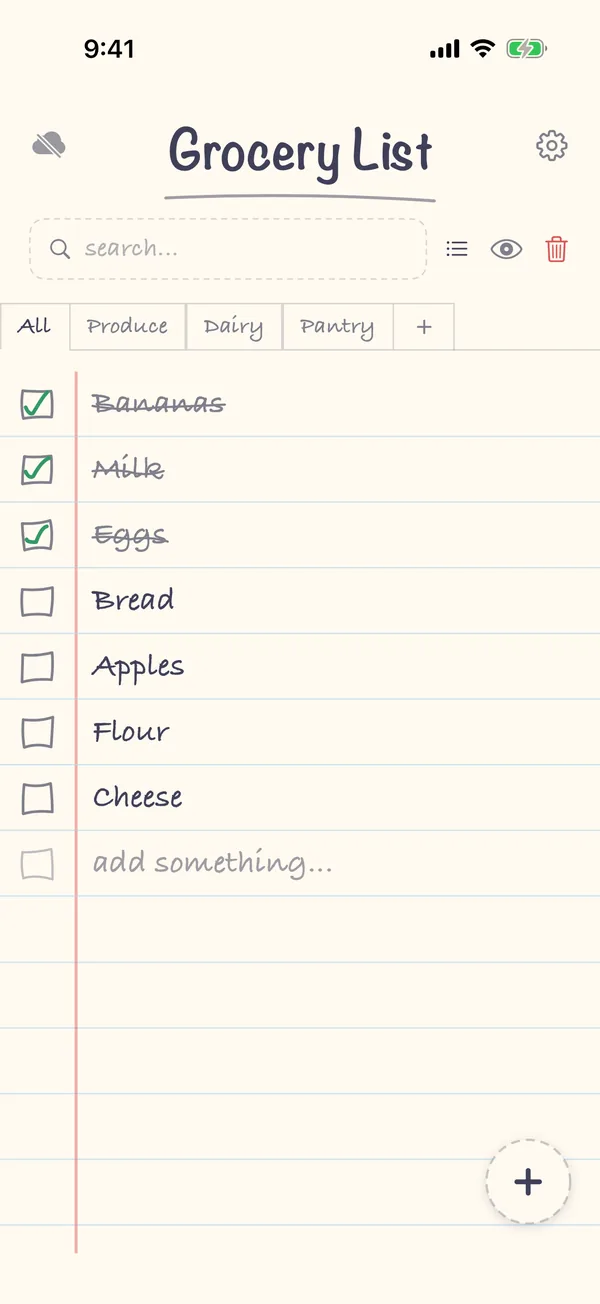
Grocery List is a shopping list for iPhone and iPad that looks like a paper notebook. Beyond typing:
- Voice: tap +, then Record, and say "milk, bananas, two avocados".
- A photo of a paper list: tap +, then Take picture or Scan image, and the items are typed up for you. See photo to grocery list.
- Categories you choose, shown as tabs along the top of the list.
- The Lock Screen: check items off without unlocking. See your grocery list on the Lock Screen.
With Premium, a one-time purchase (one payment, no subscription), you can also share the list and turn recipes into list items.
Which should you use?
| You want… | Use |
|---|---|
| A quick list for one trip | Notes |
| A free list that sorts itself and shares with other Apple users | Reminders |
| Voice, photos of paper lists, recipe import, the Lock Screen | A grocery list app |
FAQ
Can Siri add to my grocery list?
Yes. Siri adds to Reminders by default ("Add eggs to my groceries list"). To use an app, include its name. See how to add to your grocery list with Siri.
Can I use my list without signal at the store?
Yes, with all three. Notes, Reminders and Grocery List all work offline and catch up when you're back online.